

Features / Payroll & Super
Payroll and super, kept on the same clock.
Each pay run affects wages, tax, super, records, and obligations. myaccountant keeps those parts together, so you can see what is ready, what was reported, what was paid, and what still needs attention.
Features · Payroll & Super
Overview
By what you hold
People and pay
Meeting the ATO
Asking for help
For accountants
Pay runs with the surrounding obligations visible.
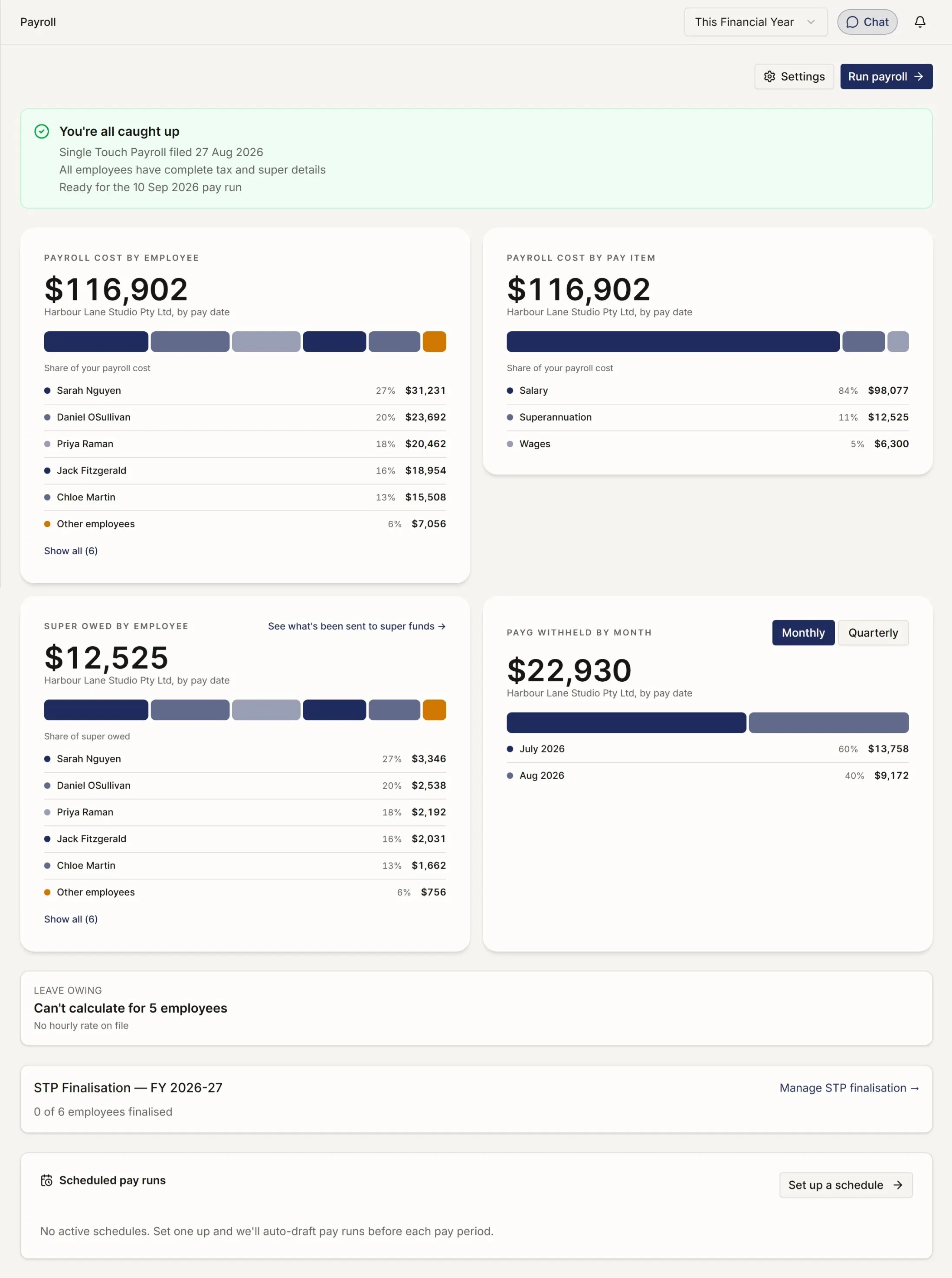
A payroll overview that starts with attention.
The first screen shows setup issues, super due, Payday Super readiness, leave liability, and anything that may block the next pay run.
Review the pay run before it moves.
Choose the period and employees, bring in timesheets where connected, review gross pay, tax, super, allowances, deductions, and net pay, then finalise.
Employee setup without repeated entry.
New employees can complete personal, tax, super, bank, and emergency contact details through a guided invite. You review once before the first pay run.
Super tracked from obligation to fund.
The Super Overview shows what was reported to the ATO, what was paid to funds, what is outstanding, and what is overdue.
What else payroll and super can handle.
-
Pay items library — Ordinary hours, overtime, leave loading, allowances, salary sacrifice, and deductions set up once and reused.
-
Leave tracking — Annual, personal, and long-service leave balances accrue from each pay run.
-
STP Phase 2 submissions — Pay events can be lodged to the ATO after each pay run, with per-employee errors surfaced for review.
-
Update events — Corrections can be sent to the ATO without rebuilding the whole pay run.
-
Super fund validation — APRA-regulated funds and SMSFs are validated during onboarding.
-
Default fund settings — Fallback super funds can be configured for employees who do not make a choice.
-
Timesheet integrations — Deputy and Tanda timesheets can flow into pay runs.
-
Accounting integration — Pay run journals post to your myaccountant books, or to Xero if that is where your books live.
-
Pre-flight checks — Employee data is checked before finalisation, with the exact field to fix.
-
EOFY finalisation — Finalise employees from the year-to-date table so income statements can appear in myGov.
The reports that come with it.
-
Payroll Activity Summary — Earnings, deductions, taxes, and super for any pay-period range.
-
Year-to-date Earnings — Per-employee totals for the financial year.
-
Leave Balances — Accrued, used, and remaining leave per employee.
-
Superannuation Summary — Per-employee super contributions for any date range.
-
Super Report — Per-employee super split into employer SG and salary sacrifice.
-
Super payment history — Audit trail of when each payment was created, lodged, settled, and reconciled.
Payroll and super belong in the same financial picture.
For pricing, Payday Super readiness, and the case for moving from another platform, see the Payroll page. For the specific compliance change on 1 July 2026, see the Payday Super page.