

Features / Dashboard
The first screen answers the first question.
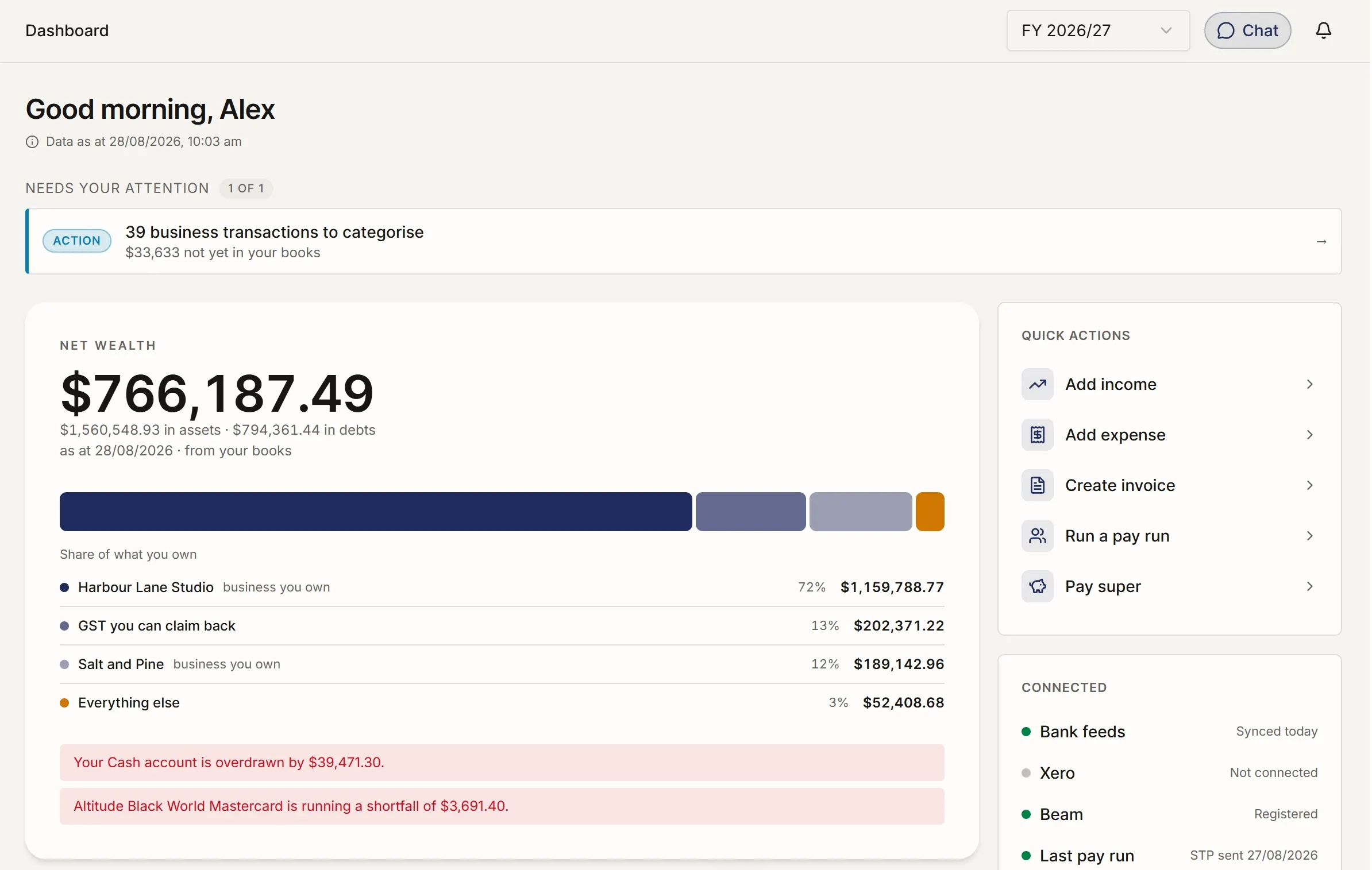
The question is where do I stand. The answer sits above everything else: what needs attention today, where the numbers landed, and whether they are current.
Features · Dashboard
Overview
By what you hold
People and pay
Meeting the ATO
Asking for help
For accountants
Three questions, answered quickly.
The dashboard is organised around the things you need to know before you decide what to do next.
What needs attention?
The alert feed stays quiet when nothing needs action. It shows only what is due soon, overdue, missing, or ready for review. When there is nothing urgent, the space disappears.
Where do you stand?
Net wealth, business profit, household income, and tax position sit together. You see the main numbers without opening separate reports or switching between parts of the product.
Can you trust the numbers?
A data-freshness strip shows when each source last updated: bank feeds, property statements, super, BAS, payroll, and other connected records. If something has gone stale, you see it.
The principle: show the position before the detail.
Most dashboards try to show everything. The result is a wall of numbers. This one starts with the position: what is happening, what needs attention, and whether the data is current.
If there is nothing urgent to show, you should be able to open the dashboard, understand where things stand, and move on.
What else the dashboard can show.
The supporting signals appear when they help you understand the picture more clearly.
-
Multi-company summary — Balance, income, expenses, and cash for every company you own, shown together so you can see the group position.
-
Quick stats on invoices — Counts of invoices created, overdue, and paid, so you can see what is moving and what still needs chasing.
-
Recent transactions — The latest transactions across connected accounts, so you can see what has recently hit the books.
-
Outstanding invoices — Invoices awaiting payment, with days outstanding, so collection work is easier to prioritise.
-
Monthly revenue and expense chart — Money in and money out by month, shown as a simple trend without building a report.
-
Period-over-period comparison — Key numbers show whether they are up or down against the prior period.
-
BAS deadline alerts — Upcoming BAS dates stay visible as they approach.
-
Cold-start setup prompts — First-time setup prompts, such as connecting a bank or creating an invoice, disappear once they are complete.
Understand the rest of the picture.
Every feature follows the same principle: show what matters, keep the detail available, and make the next step clear. Browse the full Features library to see how the product fits together.