

Registered with the ATO
Listed under the ATO's Digital Service Provider programme, and lodging through Standard Business Reporting, the regulator's own channel.
Keep rental income, expenses, loans, ownership, deductions, and tax records organised throughout the year, not only when your accountant asks.
Listed under the ATO's Digital Service Provider programme, and lodging through Standard Business Reporting, the regulator's own channel.
Information security practices designed for sensitive financial data, records, documents and review trails.
Designed around Australian households, business owners, property investors, payroll, BAS and accountant workflows.
What actually goes wrong
01
Rent comes in every month. Rates, insurance and repairs do not. You see what each property really earns once all of it is counted.
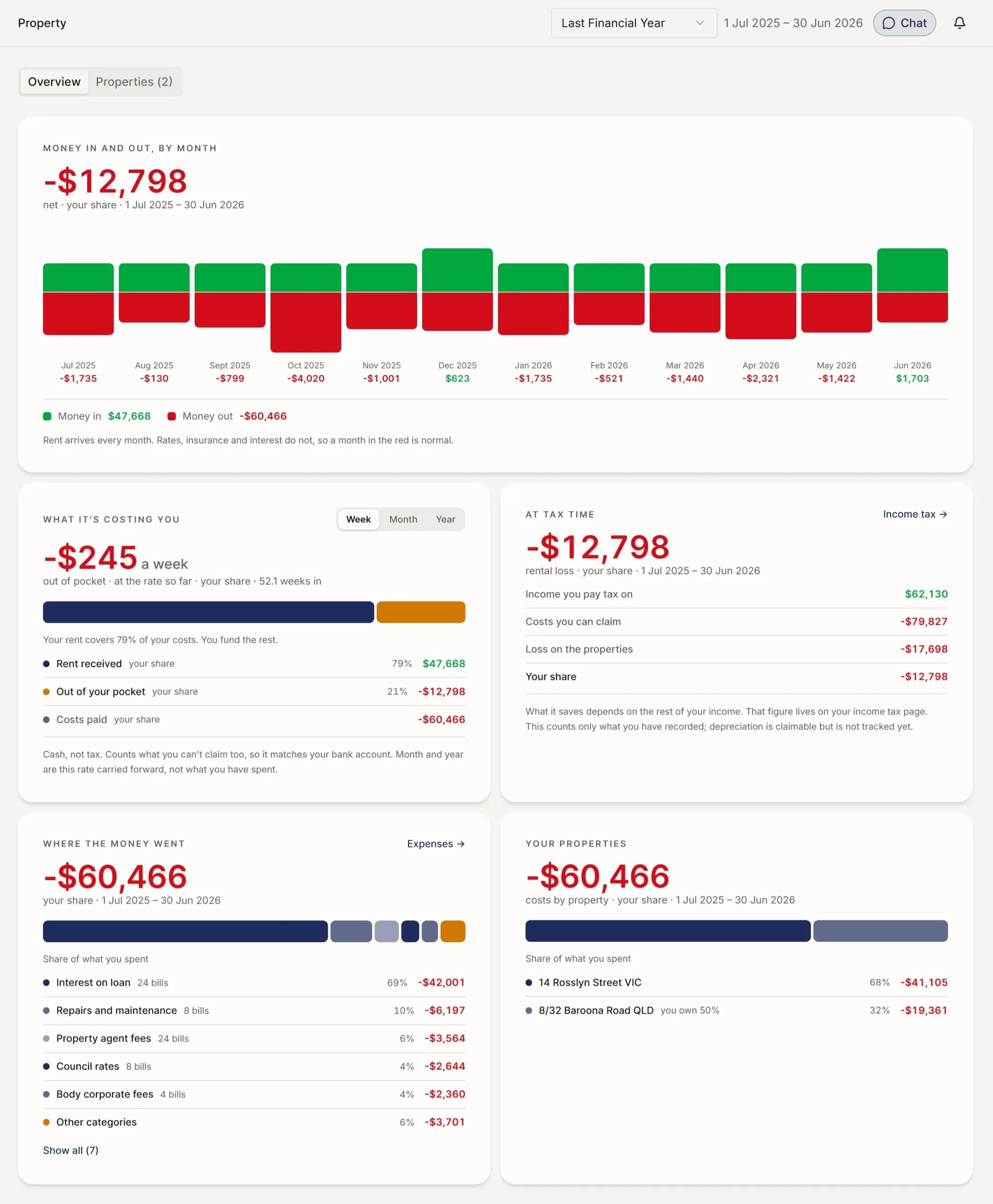
−$245
a week, out of your pocket
Your rent covers 79% of your costs. You pay the rest, and rates, insurance and repairs may not arrive monthly the way rent does.
02
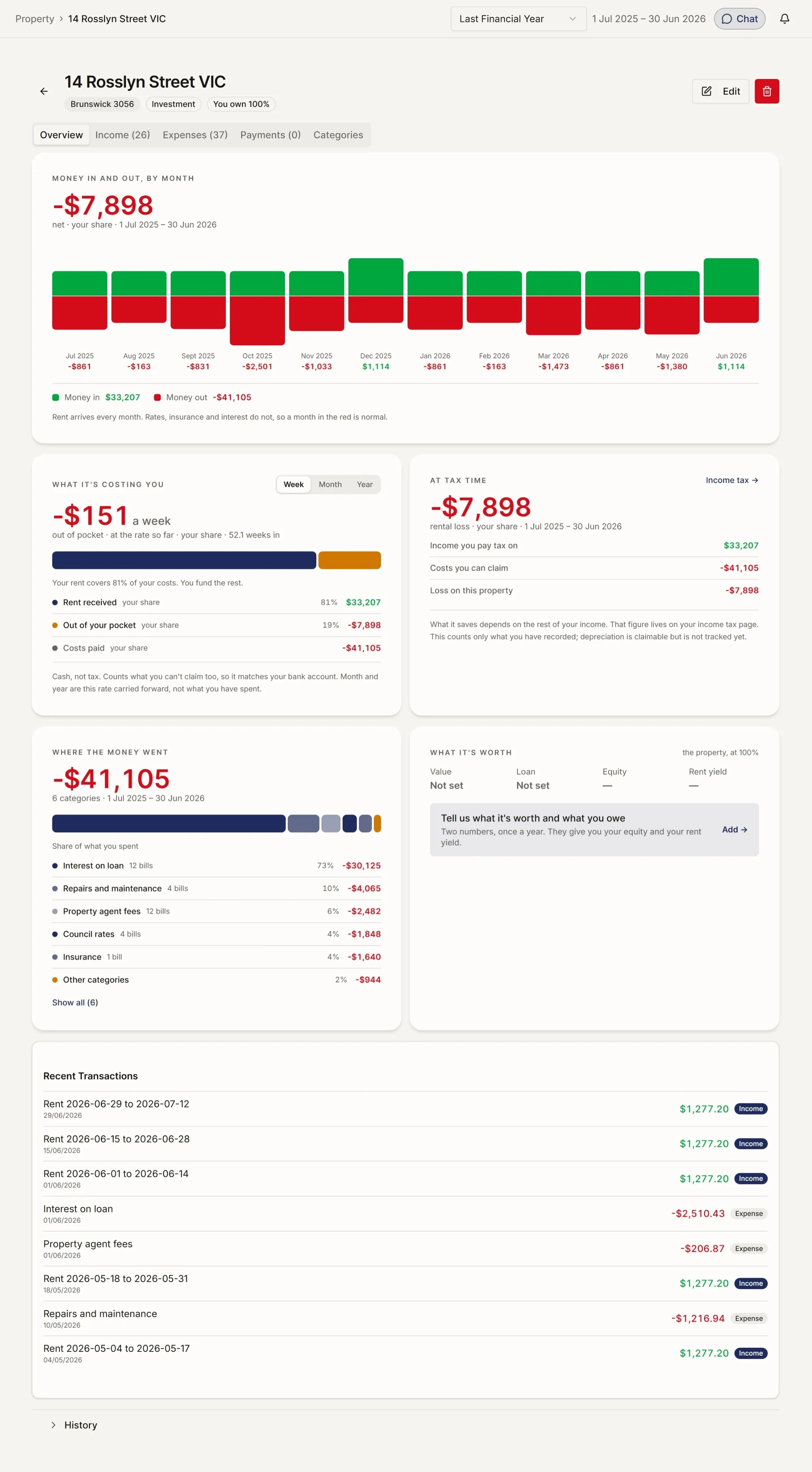
Forward the email. The rent, the fees and each expense are split out, put against the right property, and the statement is kept with them.
68
bills read, sorted and filed against the right property
None of these were typed in by hand.
03
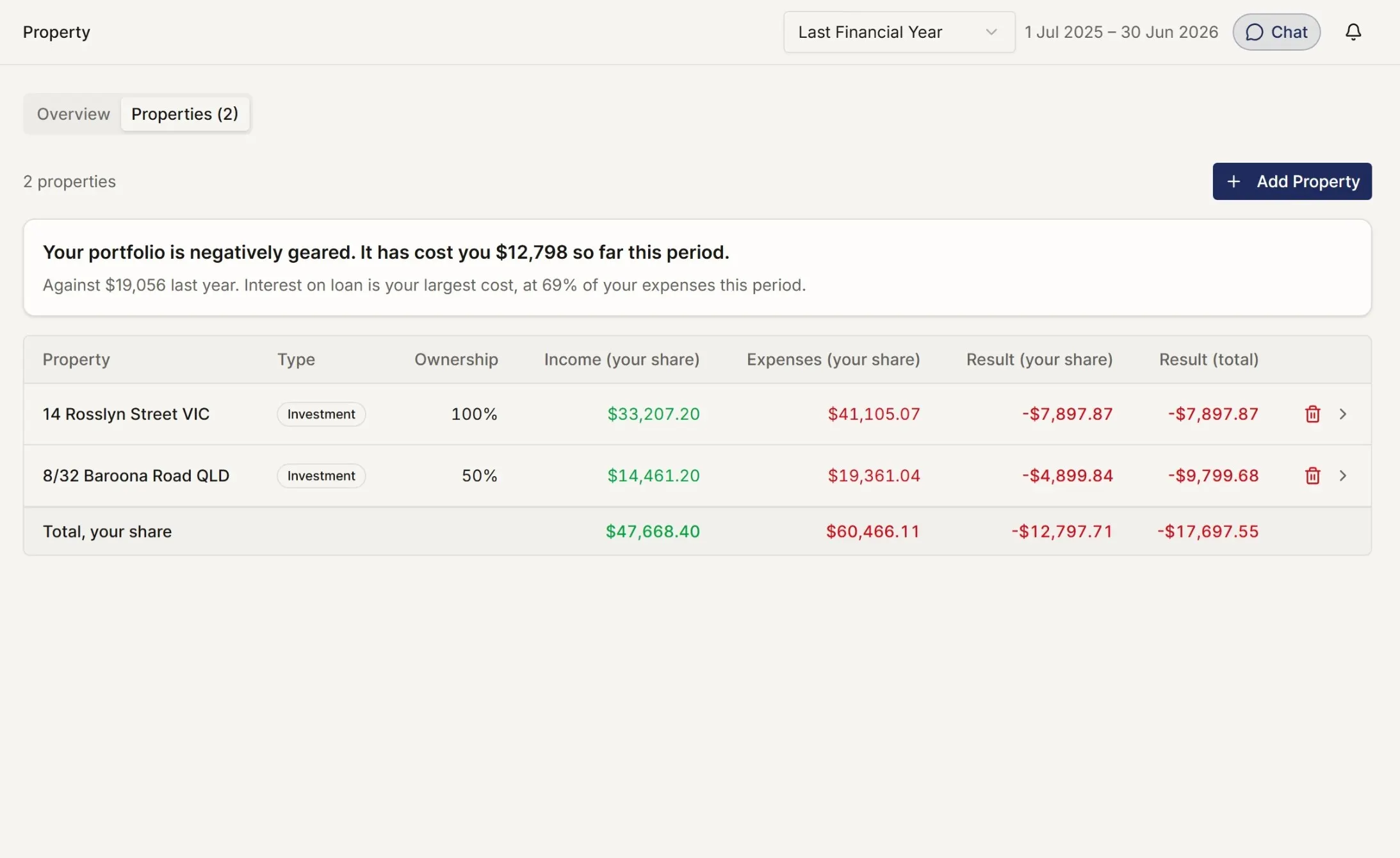
Set who owns what once. Every figure after that is split the same way, all year, for both of you.
| Owned | Your share | Total |
|---|---|---|
| 14 Rosslyn Street VIC 100% | −$7,897.87 | −$7,897.87 |
| 8/32 Baroona Road QLD 50% | −$4,899.84 | −$9,799.68 |
On the half-owned one, the two columns differ by exactly half. Set who owns what once, and every number after that is split the same way.
04
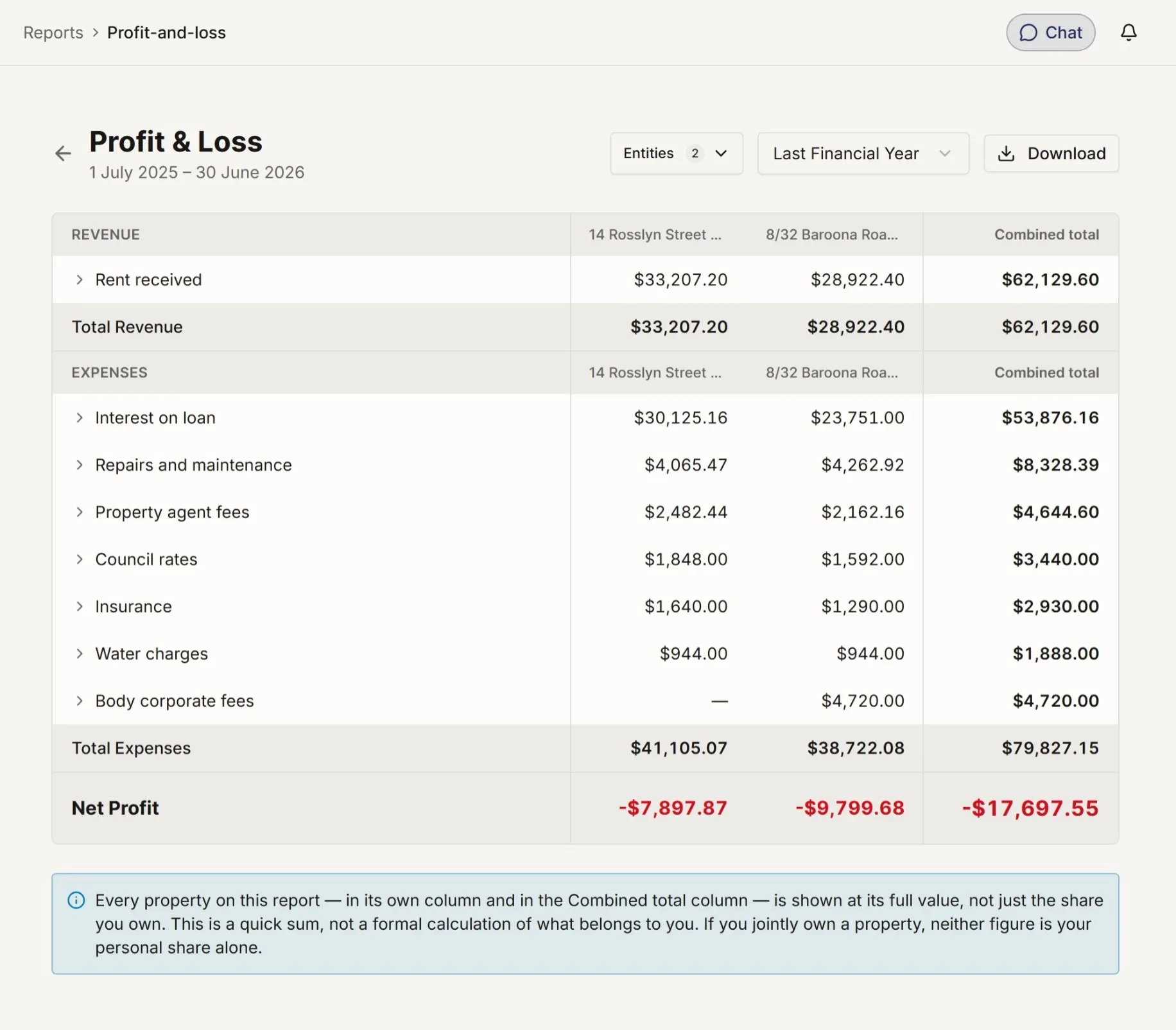
What a property costs you out of pocket and what you can claim back are two different numbers. Both are worked out as the year goes.
Worked out as the year goes, not rebuilt in July. This counts only what has been recorded, and you can claim depreciation on top of it.
Keep them both. myaccountant gives your accountant an EOFY pack with each property reconciled, each deduction categorised, and each statement attached.
Your property manager's job does not change either. They send the monthly statement the way they always have. myaccountant reads it, prepares the split, and keeps the audit trail. No new software for your property manager.
See how myaccountant works alongside tax agents and property managers →
Questions you might be asking.
As many as you own. One, twelve, somewhere between. No per-property pricing.
Yes. Set the split on each property, 50/50, 60/40, 99/1, and every transaction splits accordingly.
Import your quantity surveyor's schedule once. myaccountant applies the right lines to the right property each year.
Yes. Forward their statement, or connect their email once and stop forwarding. They do not need to change anything.
The tax-agent pack is generated from your books, by property and by owner. Your agent gets everything they need in one file.
Yes. No PM required. Record rent as it lands, photograph receipts as they happen, and the books stay in the same shape.
The records stay intact. Capital gain calculated with the right inclusions, purchase costs, improvements, selling costs, depreciation recapture. Ready for the CGT event on your return.
No payment details required.